TL;DR: Yes. Turn on Shopify Payments test mode, place a test order with card 4242 4242 4242 4242, and Shopify records a fake order that never touches your bank. Use 4000 0000 0000 0002 to prove declines fail cleanly. But test mode never tests your store or your tracking pixel — draft orders never fire a Meta Pixel or GA4 purchase event — so finish with a live cart test: add a product to the cart and clear it, free with StoreGuard.
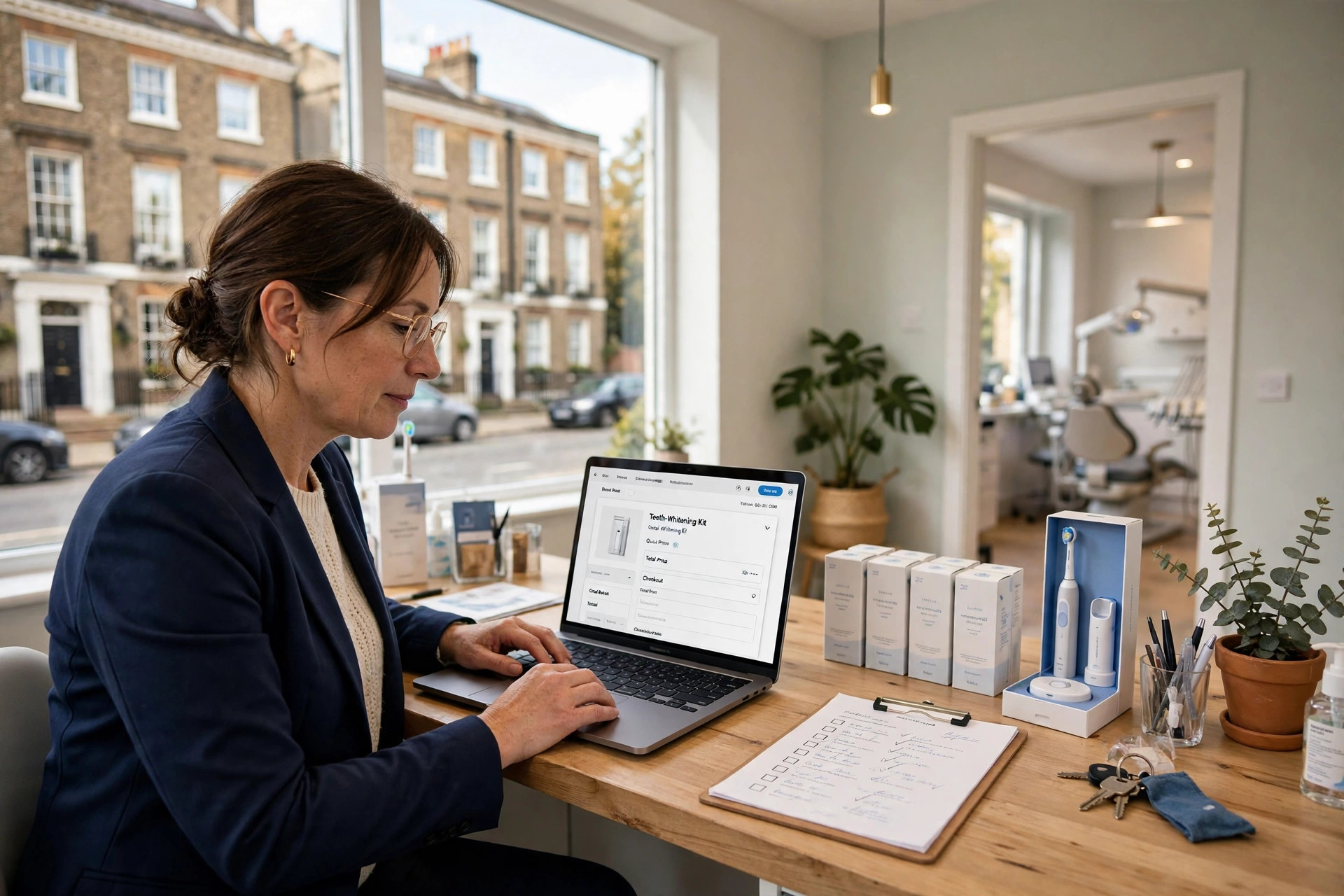
Meet Dr. Patel — and the Monday her whitening kits stopped selling
Dr. Amara Patel runs Clifton Dental Studio on Whiteladies Road in Bristol. Four treatment rooms, six staff, a waiting list for hygiene appointments — and, since September, a small Shopify shop selling the products her patients ask for at the desk: professional whitening kits at £45, electric toothbrushes at £89, and a £12-a-month membership plan covering check-ups and hygiene visits.
In October she spent £300 on Instagram ads aimed at Bristol postcodes. Forty people clicked through and added the £45 whitening kit to their cart. Four bought it. Thirty-six people — £1,620 of kits — put the product in the basket and walked away at the till.
Her first instinct was the price. Her second was the ads. Both were wrong. When she walked through her own checkout on her phone, the problem announced itself in thirty seconds: the discount code on her flyers — WHITEN10 — had expired in the discount settings but was still printed on every flyer in the waiting room. Customers typed it in, got an error at the last step, and left. Nobody emailed. Nobody complained. They just left, and the shop looked fine from the inside the whole time.
That is the question this guide answers: how do you test a Shopify checkout without placing a real order — and how do you test the parts a fake order can never reach? Everything below is written for Dr. Patel's shop, but every step works for any Shopify store anywhere.
The short answer: three ways to test, and each one proves something different
"Test my checkout" sounds like one job. It is three different jobs, and the mistake most store owners make is doing one of them and believing they did all three.
Job 1: prove payments work. Can a customer actually pay you, and does the order land in your admin? That is what Shopify's test mode and the Bogus Gateway do. They simulate a payment without moving real money.
Job 2: prove failures fail cleanly. What happens when a card is declined, or the customer types the wrong expiry date? A checkout that crashes on a declined card loses the customer twice — once on the failed payment, once on the error page. That is what the decline test card is for.
Job 3: prove the live path works. Test mode runs on a simulation. Your real checkout runs on your real theme, your real apps, your real discount codes, and your real tracking pixels. A fake order cannot tell you whether your live "Add to cart" button works, whether your discount code is still valid, or whether your Meta Pixel fires when a purchase completes. That is what a live cart test does — and it is the test almost nobody runs.
| Method | What it proves | What it cannot prove | Cost |
|---|---|---|---|
| Shopify Payments test mode | A payment can complete end to end | The live theme, apps, discount codes, or pixels | Free, needs a paid Shopify plan |
| Bogus Gateway test order | A manual test order flows into admin | Real payment processing or tracking events | Free, needs a paid Shopify plan |
| Live cart test (StoreGuard) | The real add-to-cart, cart, variant and checkout path works on the live store | A real bank payment (it never charges anything) | Free for personal use; commercial from $21.99/month |
The rule for a shop Dr. Patel's size: run all three, in that order, before every launch and once a month after. The whole routine takes under thirty minutes.
Method 1 — Shopify Payments test mode and the Bogus Gateway
Shopify gives you two built-in ways to place a fake order. Both need a paid Shopify plan — test mode does not work on a paused or trial store — and both produce orders that Shopify keeps out of your payouts and reports, so they never pollute your real sales figures.
Shopify Payments test mode is the first option. In your Shopify admin, go to Settings, then Payments, then turn on test mode for Shopify Payments. While test mode is on, every order placed through your checkout is a simulation: no real money moves, no customer is charged, and the order appears in your admin marked as a test. When you are done, turn test mode off before you tell a single customer the shop is open — a store left in test mode takes no real payments at all, and that mistake has cost real shops real weekends.
The Bogus Gateway is the second option, and the older, simpler one. It is a fake payment provider you enable in Settings, then Payments, under Manual payment methods. A customer — in this case, you — "pays" through the Bogus Gateway and the order completes as if a payment succeeded. It is the fastest way to check that an order flows from the checkout into your admin, the confirmation email fires, and the fulfilment queue picks it up.
Either method answers the same question: does the money path work? Neither answers the question Dr. Patel actually needed answered: does my live shop work? A simulated payment runs through Shopify's test rails. Your customers run through your theme, your apps, your discount codes, and your shipping rules. Those are different roads, and only one of them has your potholes.
Quotable: Test mode proves Shopify can take a payment. It does not prove your store can. Those are two different claims, and confusing them is how a shop loses £1,620 of kits in a month without noticing.
Method 2 — the test cards that prove success and failure
A test order with a successful card only tells you half the story. The other half is what happens when the payment fails — because failed payments are normal. Real customers type the wrong expiry date, use a card their bank blocks, or hit their limit. Your checkout has to handle all of that gracefully, on the page, in plain language.
Shopify's test mode accepts two card numbers every store owner should know:
- 4242 4242 4242 4242 — the success card. Any future expiry date, any three-digit security code, any name. The payment "succeeds" and the test order completes.
- 4000 0000 0000 0002 — the decline card. Same setup, but the payment is declined. Your checkout must show a clear "your card was declined" message and let the customer try again — not a blank page, not a spinning wheel, not an error code only a developer would understand.
Run both, back to back, on your phone — the device most of your customers use. Dr. Patel's routine is simple: success card on the whitening kit, decline card on the toothbrush, and a second success card with the WHITEN10 code applied, because a discount code that works on one product and fails on another is the most common silent failure in small shops. Each test takes about a minute.
Method 3 — the live cart test no test mode can do
Here is the gap every test-mode tutorial skips: a simulated order never touches your live store. It never clicks your real "Add to cart" button. It never checks whether your discount code is still valid. It never confirms that your Meta Pixel or Google Analytics actually records the purchase.
Draft orders — the other way people try to "test" a store — are worse. A draft order never fires a Pixel or GA4 purchase event at all, so if you "tested" your tracking with a draft order, you tested nothing. Your ads keep spending, your analytics keep reporting, and the purchase events your campaigns optimise on simply never arrive.
The live cart test closes the gap. A tool adds a real product to your store's real cart through the same system a customer uses, confirms the cart opens, the count updates and the variant is correct, then clears the cart — no order placed, no money moved, nothing for a customer to see. What it proves is the thing test mode cannot: that the live path, on the live theme, with the live apps installed, actually works right now.
That is what StoreGuard does. It runs the live add-to-cart-then-clear test, checks the product catalogue for broken variants, checks the checkout is reachable, and checks whether the Meta, GA4, Google Tag Manager and TikTok pixels are actually present on the store. It needs no install, no account and no email address — you paste the store URL and it runs — which matters because every Shopify-app competitor requires installing the app inside the store, with broad admin access, before it can audit anything.
The Bristol maths: Dr. Patel's shop takes about 40 add-to-carts a month from local ads. The Baymard Institute, which has studied checkout behaviour across 50 studies, puts the average cart abandonment rate at 70.22% — so about 28 of those 40 carts would be abandoned even in a healthy store. Her 36 abandonments were 8 above that baseline. At £45 a kit, those 8 extra lost sales are £360 a month — £4,320 a year — from one broken discount code. And Baymard's other number is the hopeful one: better checkout design alone can lift conversion by 35.26%. The test is free. The broken code was not.
The comparison table: every way to test a Shopify checkout
The audit-tool market is crowded, and every tool claims to find what is costing you sales. The honest difference is what each one actually tests. Here is the field, priced as published in November 2026:
| Tool / method | What it actually tests | Install or account needed? | Price |
|---|---|---|---|
| Shopify Payments test mode | Simulated payment, order flow into admin | No — built into Shopify | Free with a paid plan |
| Bogus Gateway | Manual test order, confirmation email, fulfilment queue | No — built into Shopify | Free with a paid plan |
| StoreGuard | Live add-to-cart-then-clear, catalogue and variant health, checkout reachability, Meta/GA4/GTM/TikTok pixel detection | No — paste the URL, no account, no email wall | Free personal; commercial from $21.99/month |
| Store Health: Audit & Scan (Checkpoint) | 8-area scan: theme, scripts, metafields, files, products, discounts, links, AI visibility; health score, prioritised fixes | Yes — Shopify app install with broad admin access | Free plan available; paid prices unpublished |
| StoreAuditPro | 33-point audit across SEO, speed, UX, trust; one-click fixes with undo; scheduled monitoring | Yes — Shopify app install | Free plan; Pro from $19/month |
| Kopi AI Shopify Analyzer | Free 0–100 store score with letter grade; per-category SEO, speed, UX, clarity and trust scores | Free score needs no account; full report needs a free account | Free score; paid pricing not published |
| Taylor Sicard Shopify audit | ~35 checks across 6 pillars; real mobile PageSpeed data; fixes ranked by impact | No — free score, no signup; full report needs an email | Free score; agency diagnostic "The Read" $5,000–$15,000 |
Read the table from right to left and the pattern appears: the tools that test the most charge the most or demand the most access, and the free ones mostly produce a static report. None of the Shopify-app competitors runs a live transaction simulation — they scan the store and list problems. StoreGuard's live cart test is the one check in the table that touches the same path a customer touches.
What the audit tools get wrong — the review-mined list
The reviews tell a consistent story, and it is not the story on the tools' own landing pages.
First, the reports are static. Every tool in the table lists problems. Almost none of them tests the live checkout path — add to cart, go to checkout, reach the thank-you page — and none of the free ones verifies that a tracking pixel fires when a purchase completes. A report that says "your checkout is fine" because it scanned the page source is guessing, not testing.
Second, the free tier is a lead magnet, not a tool. Kopi AI's full graded critique sits behind a free account. Taylor Sicard's full report needs your email. That is a fair trade, but the score you get without signing up is the teaser, not the audit.
Third, the review bases are tiny. Store Health holds a perfect 5.0 stars — from 8 reviews. StoreAuditPro launched around September 2026 and had no reviews at all on Product Hunt at last check. A perfect score from eight people is not evidence; it is a small sample.
Fourth, Shopify-app audits need the keys to the shop. Store Health's listing asks for permission to view customers, products, discounts, store analytics and staff data. For your own store that is normal. For a freelancer auditing a prospect's store — the most common agency use case — it is a non-starter: no prospect hands over that access for a first audit.
Fifth, nobody prioritises by money. A report with dozens of warnings is not useful if it cannot tell you which warning costs sales. The test that matters most is always the same one: can a customer pay you, right now, on their phone? Run that test first, and let the rest of the report wait.
The 5-step checkout test for a Bristol dental shop
Here is the whole routine, written for Dr. Patel's shop. It takes about thirty minutes, once a month.
Step 1: Turn on test mode and place the success order. Settings, Payments, test mode on. Add the £45 whitening kit to the cart on your phone. Pay with 4242 4242 4242 4242. Confirm the order appears in admin, the confirmation email arrives, and the order is marked as a test. Then turn test mode off — a store left in test mode takes no real payments.
Step 2: Run the decline test. Same kit, same phone, this time with 4000 0000 0000 0002. The checkout must say, in plain English, that the card was declined, and offer a clear way to try another card. If it shows a blank page, a spinning wheel, or a code like "Error 402", that is a defect — fix it before a real customer meets it at 11pm.
Step 3: Test the discount code on every product it should cover. Dr. Patel's WHITEN10 code had expired in settings while the flyers still promised it. Type the code on the whitening kit, on the toothbrush, and on the membership plan. A code that works on one product and fails on another is the single most common silent failure in small shops.
Step 4: Run the live cart test and the pixel check. Paste the store URL into StoreGuard and run the live add-to-cart-then-clear test, the catalogue and variant check, and the pixel detection. This is the step test mode cannot replace: it proves the live theme, the live apps and the live discount codes work on the live store, and it confirms the Meta Pixel and GA4 are actually present to record purchases. If the pixel is missing, your ads are optimising blind. In the UK, remember the other side of the same coin: tracking pixels need consent under UK GDPR and the Privacy and Electronic Communications Regulations, so the consent banner has to work too. A pixel that fires without consent is a compliance problem; a pixel that never fires is a marketing problem. Test both.
Step 5: Check the money maths and the returns promise. Place the test order with your real Bristol postcode and confirm the shipping rate is the one you set. Then read your own returns page as a customer would: under the UK Consumer Contracts Regulations, distance sales — which is what an online shop is — carry a 14-day cooling-off period, and the page has to say so clearly. A whitening kit is a hygiene product, so check how your returns policy handles opened items; the rules have exceptions for sealed goods, and your page should state yours plainly.
Do those five steps, write down the result of each one, and repeat monthly. The shops that lose money quietly are not the shops with broken checkouts — they are the shops that never tested the checkout at all.
The Bristol angle: why a local shop feels it first
Bristol is not a small market. The UK is the second-largest Shopify country in the world, with about 240,926 active Shopify stores, and roughly 6.5 million active Shopify stores exist worldwide. Your customers are not comparing your checkout to the dental practice down the road — they are comparing it to every online shop they used this week, and the best of those checkouts take seconds.
That is also why the local details matter. Prices in pounds, not dollars: a £45 kit with a £4.95 delivery charge is a different decision from a $45 kit with free shipping, and Baymard's research says extra costs appearing late at checkout are the single biggest abandonment driver — cited by 39% of abandoners in 2025, and 48% the year before. Show the full price, delivery included, before the customer reaches the payment step. A Bristol customer who sees £49.95 at the product page and £49.95 at the till trusts the shop. A customer who sees £45 and then £49.95 feels tricked, and tricked customers do not come back for a hygiene appointment either.
The other local fact is the membership plan. Dr. Patel's £12-a-month plan is a subscription, and subscriptions fail differently from one-off purchases: a card expires, the renewal fails, and the member quietly stops being a member. Test the renewal path the same way you test the first purchase — a failed renewal that sends no email is a lost member you will only notice at the next recall list.
What test mode can never check — the honest limits
No test is complete, and this guide would be dishonest if it pretended otherwise. Test mode has four limits worth knowing.
Shop Pay cannot be simulated in test mode. The accelerated checkout button your customers see behaves differently in test mode, so verify the real Shop Pay button separately after launch, with a small real order if you have to. A £1 test purchase you refund is cheaper than a month of customers bouncing off a broken express checkout.
A test card is not a real bank. Real banks decline for reasons a test card never reproduces: suspected fraud, a frozen card, a limit reached. Your checkout's job is to handle those declines gracefully, and the decline card only proves the happy path of failure. Watch your real failed-payment emails for a month after launch and read them like a customer would.
Test mode does not test your shipping. Rates, zones, and delivery promises only show their real behaviour with a real address at the real checkout. A Bristol postcode and a Highlands postcode can produce two very different delivery charges, and both are worth testing before a customer in either place finds out first.
No audit tool sees inside your checkout. Even the best scanner admits it: a single-page scan sees the HTML your browser downloads, not your analytics, your real conversion rate, your margins, or what happens inside checkout. That is why the routine in this guide ends with a live test, not a report. A report tells you what might be wrong. A live test tells you what is wrong, right now, on the store your customers actually use.
Frequently asked questions
How do I test my Shopify checkout without placing a real order?
Turn on Shopify Payments test mode (Settings, then Payments) or enable the Bogus Gateway, then place a test order with the card 4242 4242 4242 4242. The order completes without charging anyone, and Shopify keeps test orders out of your payouts and reports. Use 4000 0000 0000 0002 to test a declined payment. Test mode needs a paid Shopify plan, and you must turn it off before taking real orders. Finish with a live cart test, because test mode never touches the live theme, apps, discount codes, or tracking pixels.
Can I place a test order without a real card?
Yes. In test mode, Shopify accepts the test card 4242 4242 4242 4242 with any future expiry date and any three-digit security code. No real card is charged and no real money moves. The Bogus Gateway works the same way without any card number at all. Both methods need a paid Shopify plan — test mode does not work on a paused or trial store.
Does a draft order test my tracking pixel?
No. A draft order never fires a Meta Pixel or Google Analytics purchase event, so it cannot verify your tracking. Only a real purchase event — or a tool that checks the pixel is present and configured on the live store — can confirm tracking works. If you "tested" tracking with a draft order, test it again properly before spending on ads.
What is the Bogus Gateway in Shopify?
The Bogus Gateway is Shopify's built-in fake payment provider. Enable it under Settings, then Payments, then Manual payment methods, and you can place test orders that flow through checkout into your admin, fire the confirmation email, and enter your fulfilment queue — all without a real payment. It is the fastest way to check the order flow, but it does not test real payment processing or tracking.
How do I test a Shopify checkout on a dental clinic's online shop?
The same way as any Shopify store, with the clinic's products in the cart: run a test-mode order on the whitening kit, a decline test on the toothbrush, and a discount-code check on every product the code should cover. Then run a live cart test on the live store, because a dental shop's customers buy after hours and will not email you when the checkout fails — they will simply book with another practice. Check the 14-day cooling-off wording and the opened-hygiene-product returns rule on the returns page at the same time.
Is there a free tool that tests a Shopify checkout live?
Yes. StoreGuard runs a live add-to-cart-then-clear test on the real store — no install, no account, no email address — and checks catalogue and variant health, checkout reachability, and whether the Meta, GA4, Google Tag Manager and TikTok pixels are present. It is free for personal use, with commercial use from $21.99 a month. Shopify's own test mode and Bogus Gateway are also free, but they simulate the payment rather than testing the live store.
References & further reading
- Shopify Help Center — "Test orders" (test mode, Bogus Gateway, test card numbers): https://help.shopify.com/en/manual/checkout-settings/test-orders/payments-test-mode
- Shopify Help Center — "Processing a test order" (test orders excluded from payouts and reports): https://help.shopify.com/en/manual/checkout-settings/test-orders/processing-test-order
- Baymard Institute — "Cart Abandonment Rate" (70.22% average across 50 studies; 35.26% conversion lift from better checkout design; extra-costs reason 39% in 2025): https://baymard.com/blog/cart-abandonment-rate
- FireBear Studio — "What Are Shopify Test Orders? How to Create, Test and Manage Them": https://firebearstudio.com/blog/what-are-shopify-test-orders-how-to-create-test-and-manage-them.html
- TrackParity — "Test Shopify Tracking Without a Real Order" (draft orders never fire Pixel/GA4 purchase events): https://www.trackparity.com/blog/test-shopify-tracking-without-real-order/
- Taylor Sicard — "Free Shopify Store Audit" (~35 checks, 6 pillars, 3,500+ audits run): https://taylorsicard.com/tools/shopify-store-audit
- Omnisend — "Shopify Statistics" (~6.5M active stores; UK 240,926, second-largest country; 875M+ shoppers in 2024): https://www.omnisend.com/blog/shopify-statistics/
- StoreGuard — Shopify store audit and live cart test (free personal use; commercial from $21.99/month): https://apps.visionquantech.com/storeguard/
- VisionQuantech — "How Do I Audit My Shopify Store? The 2026 Free Checklist" (the full audit routine this guide builds on): https://visionquantech.com/blog/shopify-store-audit-free-checklist.html
Cite this article: Shivam Kumar (2026). How Do I Test My Shopify Checkout Without Placing a Real Order? A Bristol Dental Clinic's Guide (2026). VisionQuantech. https://visionquantech.com/blog/test-shopify-checkout-without-real-order-bristol-dental-clinic.html
Want us to test your store for you?
Run a free StoreGuard live cart test on your Shopify store — or book VisionQuantech to test it, fix it, and run it for you.
Test My Store Free