TL;DR: Start with a spreadsheet only while you have under about 75 items, one godown, and one person updating it. Once stock sits in two places or you pass about 50 orders a month, the sheet stops telling the truth. Then a flat-priced, rupee-priced tool beats a dollar tier ladder like Zoho Inventory and desktop-bound Tally. For a Pune wholesaler: VisionQuantech Inventory at ₹12,999 setup + ₹1,999 a month flat — multi-godown, batch and expiry, no per-order meter.
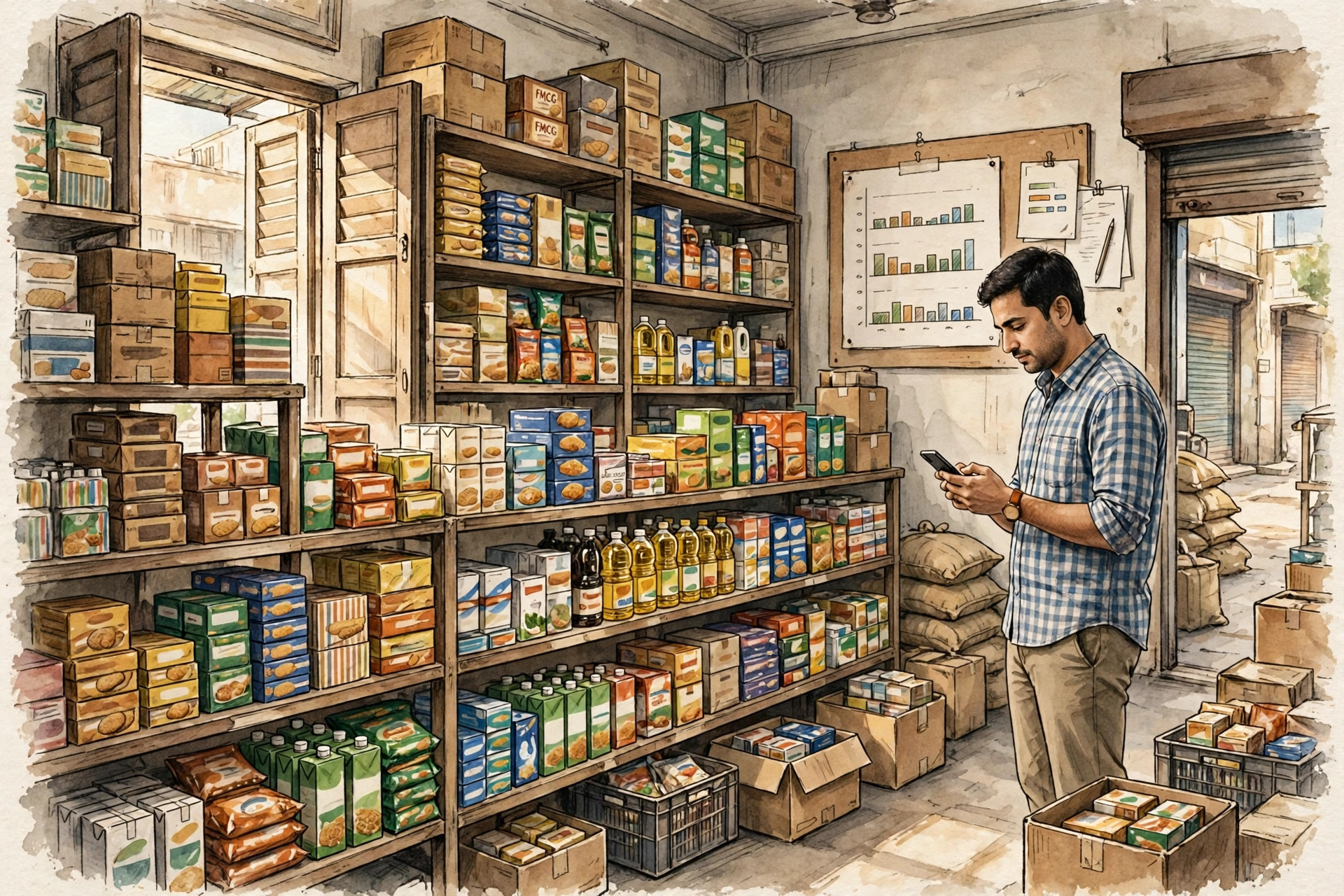
Prakash's Monday in Bhosari, Pune
Prakash runs an FMCG wholesale distributorship out of Bhosari MIDC, Pune. He supplies about 120 kirana stores and small supermarkets across Pimpri-Chinchwad. His stock sits in two places: the main godown in Bhosari and a smaller stockroom near his Pimpri counter. He carries roughly 400 items — biscuits, oils, soaps, detergents, packaged foods. (Prakash is an illustrative example, not a VisionQuantech client.)
His Monday starts with a phone call. A retailer wants 200 cartons of a detergent brand for a festival offer. Prakash's spreadsheet says 260 cartons in stock. His godown keeper says 140. The Pimpri stockroom has some, but nobody wrote down how many. By the time the real number is counted by hand, the retailer has ordered from another distributor.
Prakash's question is the one this guide answers: how do I track inventory for a small wholesale business in India without expensive software? The answer has three parts: know the exact point where your current method breaks, run a one-week test that proves it, and only then pick a tool on its all-in price — not its headline price.
Why the spreadsheet stops telling the truth
A spreadsheet is a fine inventory tool at small scale. One practitioner guide puts the working limit at roughly 50–75 items: below that, one person can keep a sheet accurate by hand. Above it, manual updating becomes the job itself, and errors creep in faster than anyone can fix them.
The breakage shows up in four familiar ways, all documented in a recent guide written for Indian distributors running stock across several godowns:
- Different people quote different stock figures for the same item. The sheet says one number, the godown keeper says another, the counter says a third.
- Stock transfers between locations are recorded late, or not at all. A transfer from Bhosari to Pimpri exists in reality but not in the sheet, so both locations look wrong.
- You discover an item is out of stock only when a customer asks for it. The stockout is the reporting system.
- Month-end stock counts never match the books. Every count becomes an argument about who forgot to write what down.
A second, independent self-check published in October 2026 asks eight yes-or-no questions — do people hunt for stock the system says you have, do mis-picks happen most weeks, do you hold stock in more than one location, do you need batch or expiry tracking, and so on. Its rule of thumb: 0–2 yes answers and a spreadsheet is probably still enough; 3–5 and inventory software deserves a serious look; 6–8 and you are already paying the cost of not having a proper system. Prakash scores five.
The cost of staying put is not theoretical. An IHL research report, summarised by Indian retail-software firm Ginesys, puts global annual losses from inventory distortion at $818 billion, with 56% of that attributed to stockouts. The same summary reports that up to 60% of retailers' inventory records are inaccurate. And Xero's small-business inventory guide notes that accurate demand forecasting can reduce inventory costs by up to 10–25%. These are global figures, not promises for one Pune godown — but they explain why "the sheet is mostly right" is an expensive way to run a business on thin wholesale margins.
Step 1: Map how stock actually moves before you demo anything
Before you look at any tool, draw your stock flow on one page:
- Purchase: supplier delivers to which godown, against which purchase order?
- Receipt (GRN): who counts it in, and what happens when the delivery is short or damaged? GRN means Goods Received Note — the record that stock actually arrived.
- Transfer: Bhosari to Pimpri, and back — who records it, and when?
- Sale and dispatch: pick, pack, dispatch — does the sale reduce stock at the moment of billing, or at the end of the day?
- Returns and damage: a retailer returns 20 cartons; expired stock is written off. Where do those go in your records?
If your map has two godowns and a counter, any tool you buy must track stock per location and show transfers between them. If you sell packaged food or pharma-adjacent goods, it must track batch numbers and expiry dates, so the oldest batch sells first and expired stock never reaches a retailer.
Step 2: Set reorder points from lead time, not from gut feel
The single most valuable number in inventory management is the reorder point: the stock level at which you must order more, calculated before you run out. The formula is simple enough for a 15-year-old to follow:
Reorder point = (average daily sales × supplier lead time in days) + safety stock
Safety stock is the buffer for late deliveries — for most wholesalers, a few days of average sales. Worked example: Prakash sells about 40 cartons of a cooking-oil brand a day, and his supplier takes 4 days to deliver. Reorder point = (40 × 4) + 3 days of buffer (120) = 280 cartons. When stock of that item hits 280, the system should raise a purchase order automatically. Without this, reordering happens when someone notices an empty shelf — which is, by definition, too late.
Step 3: Price the whole job, not the headline
Here is the trap every inventory comparison hides: the headline price is one of four layers — the base subscription, the per-order or per-user meter, the setup or onboarding fee, and the add-on shelf. Apply that to Prakash's business, using published and compared prices as of October 2026 (vendors change pricing without notice; always check the current price page before buying):
- Spreadsheet (Excel/Google Sheets): ₹0. Works under ~75 items, one location, one updater. The catch is the one already described: no live multi-location truth, no automatic reorder alerts, no batch or expiry control, and every number depends on someone remembering to type it.
- Zoho Inventory: free tier, then $59 a month (Standard, billed annually; $79 month-to-month), $99, $159 and $239 tiers above that. The free tier covers 50 orders a month and one warehouse — a wholesaler doing 50-plus orders a month outgrows it immediately. The tiers cap monthly orders (50, then 1,500, then 7,500, then 15,000 in the competitor brief's breakdown), so growth forces tier jumps, and the price is in dollars, not rupees. Real G2 reviewers complain that serial-number tracking and automation workflows sit behind higher-tier pricing, that lower tiers limit warehouse counts, and that pricing limits access to advanced features. Its strengths are real too: multi-warehouse tracking, ecommerce integrations, and a polished interface — which is why it wins for online sellers who need those integrations.
- TallyPrime: Silver ₹18,000 one-time (about ₹600 a month on rental), Gold ₹54,000 for multi-user. Deep inventory — multi-godown, batch, manufacturing and job work, multiple stock valuations. The catch is architectural: desktop-first, data on your own computer, manual backups, multi-user only on a local network (Gold), and remote access needs a VPN-style setup. If your accountant lives in Tally, that integration is a genuine reason to stay. If your team works from two godowns and a phone, the desktop is the bottleneck.
- GoFrugal: quote-based tiers via resellers, roughly ₹8,999, ₹14,999 and ₹24,999. POS plus inventory plus multi-store, with purchase and reorder features. The catches come from real Techjockey reviews: "DIFFICULT TO USE, INTERFACE IS HASSY" and "NEVER BUY IF YOU ARE A STARTUP OR SMALL ENTERPRISES. NO CUSTOMER SUPPORT." A price you can only get from a reseller, plus that support record, is a risk for a small team.
- VisionQuantech Inventory Manager: ₹12,999 one-time setup + ₹1,999 a month flat. Year one: ₹12,999 + (₹1,999 × 12) = ₹36,987. Year two onwards: ₹23,988 a year. It is a rate-card product set up on request through VisionQuantech contact, not an instant self-serve signup — say that plainly, because a price you cannot buy today is not a price. Its honest scope: multi-godown stock tracking with inter-warehouse transfer, batch and expiry tracking, barcode generation and mobile scanning for goods-in and dispatch, low-stock and reorder-point alerts with one-click purchase orders, and a simple pick-pack-dispatch flow for wholesale fulfilment. Web-first, so it works on any device, with one flat plan instead of a tier maze.
The comparison: what a small Pune wholesaler actually pays
| Tool | Price (published / compared, Oct 2026) | Best for | The catch, from real reviews and comparisons |
|---|---|---|---|
| Spreadsheet | ₹0 | Under ~75 items, one godown, one updater | No live multi-location truth; no automatic reorder alerts; no batch/expiry control |
| Zoho Inventory | Free (50 orders/mo, 1 warehouse); Standard $59/mo annual | Online sellers needing ecommerce integrations | Dollar pricing; order caps force tier jumps; serial/batch and warehouses gated by tier; G2 pricing complaints |
| TallyPrime | Silver ₹18,000 one-time; Gold ₹54,000 multi-user | Businesses whose accountant runs Tally; deep manufacturing inventory | Desktop-bound, manual backups, LAN-only multi-user, no real mobile story |
| GoFrugal | Quote-based, ~₹8,999 / ₹14,999 / ₹24,999 | Retail chains wanting POS + inventory + BI | Opaque reseller quotes; reviewers call it hard to use with no small-business support |
| VisionQuantech Inventory Manager | ₹12,999 setup + ₹1,999/mo flat (year 1 ₹36,987; then ₹23,988/yr) | Multi-godown wholesalers wanting flat rupee pricing and done-for-you setup | Costs more than a free tier; rate-card setup on request, not instant signup |
For Prakash, the first-year maths is the decision, and it is uncomfortable for the home team: Zoho's Standard tier at $59 a month is cheaper in year one than VisionQuantech's ₹36,987, and a spreadsheet costs nothing at all. Any guide that hides that gap is a brochure, not a comparison. The honest case for the pricier option is not "cheapest" — it is three specific things the cheaper routes do not bundle: stock truth across two godowns without a per-order meter, batch and expiry tracking without a tier jump, and setup done for the wholesaler rather than a DIY install in dollars. If none of those three matters to you, stay on the sheet while it still works, or buy Zoho and keep the difference.
Step 4: Run the one-week real-stock test (not the demo test)
A billing demo is usually run wrong: the salesperson adds three neat items and everything balances. Run your real week instead:
- Day 1 — the two-godown test. Record the same item's stock in both godowns, then transfer 50 units between them. Does every screen agree afterwards, or does one location still show the old number?
- Day 2 — the reorder test. Pick your five fastest-moving items and set reorder points from the formula above. Does the system alert before you run out, or only after?
- Day 3 — the batch and expiry test. Receive a batch with a near expiry date. Does the system push it to sell first, and flag what is about to expire?
- Day 4 — the scan test. Receive and dispatch using a phone camera as a barcode scanner. If scanning fails on a real carton in a dim godown, the feature does not exist in practice.
- Day 5 — the second-person test. Let a staff member record receipts while you record dispatches at the same time. If the system cannot handle two people at once, it is a single-user tool wearing multi-user clothes.
- Day 6 — the month-end test. Run the stock valuation and the movement report. Hand them to your accountant untouched. Do they reconcile, or do they come back with questions?
- Day 7 — the phone test. Check stock, approve a purchase order and dispatch a load from your phone, standing in the godown. If the tool only works properly on an office computer, it does not work for a wholesaler.
Score the week honestly. The tool that passes the most real days is the tool to buy — even when it is not ours. Zoho wins outright for an online seller who needs marketplace integrations. Tally wins outright when the accountant's entire practice runs on it. The spreadsheet wins outright below the 75-item, one-godown line. VisionQuantech's case is the wholesaler in the middle: two or more locations, batch-tracked goods, and a team that needs one flat rupee price instead of a tier ladder in dollars.
Related reading: VisionQuantech AI services, the GST billing guide for Navi Mumbai traders, and the POS guide for Noida shops.
Frequently asked questions
How many items can I track on Zoho Inventory's free plan? The free tier covers 50 orders a month and one warehouse. A wholesaler doing daily retailer dispatches crosses 50 orders in the first week of most months, which is exactly why the free tier is a trial in practice, not a plan.
Do I need barcode scanning, or is typing enough? Typing is enough below ~75 items. Above that, typing is where the errors enter: one wrong digit and the sheet is fiction. Phone-camera scanning removes the typing step for goods-in and dispatch, which is why it is a core feature rather than a luxury.
What is batch tracking, and do I need it for FMCG goods? Batch tracking records which production batch each unit came from, with its expiry date. You need it whenever goods expire, get recalled, or come back as returns — because without it, you cannot prove which batch a returned carton belonged to, or sell the oldest batch first.
Can a cloud tool replace Tally for my accountant? It depends on your accountant, not on the tool. If your CA's practice runs on Tally, keep Tally as the accounting book and use the inventory tool for operations — or accept the double-entry cost. Ask your accountant before you switch, not after.
Is VisionQuantech Inventory Manager a self-serve signup? No. It is a rate-card product set up on request through VisionQuantech contact, at ₹12,999 setup + ₹1,999 a month flat. That is a real limitation next to Zoho's instant signup, and it is stated here rather than discovered after you pay.
How long does it take to move from a spreadsheet to a real system? The honest answer is one counted week: a physical stock count, an import of your item list, and the seven-day test above. The count is the slow part, not the software — and any vendor who says you can skip the count is selling you a system built on wrong opening numbers.
References & further reading
- Xero, "Inventory management system guide for small business" (Canada and US editions, 2026) — https://www.xero.com/ca/guides/inventory-management-system/ and https://www.xero.com/us/guides/inventory-management-system/
- Ginesys, "7 Costly Mistakes of Poor Inventory Management Software" (summarising the IHL inventory-distortion report: $818 billion global annual losses, 56% from stockouts; up to 60% of retailers' records inaccurate) — https://www.ginesys.in/blog/7-ways-weak-inventory-management-software-can-lead-to-losses
- Brahmin Solutions, "How to Keep Track of Inventory for Free (3 Methods Compared)" (the 50–75 item spreadsheet rule; Zoho free-plan limits) — https://www.brahmin-solutions.com/blog/how-small-business-track-inventory-free
- G2, "Zoho Inventory Pros and Cons" (reviewer complaints: tier-locked serial/batch features, warehouse limits, pricing) — https://www.g2.com/products/zoho-inventory/reviews?qs=pros-and-cons
- Dhruv Rathod, "Stock in Three Godowns, Truth in None: Evaluating Zoho Inventory for Multi-Warehouse Businesses" (Medium, Oct 2026) — https://medium.com/@dhruvrathod907/stock-in-three-godowns-truth-in-none-evaluating-zoho-inventory-for-multi-warehouse-businesses-a9d565326b7f
- Christiann, "Spreadsheet, Inventory Software, or WMS? How to Tell You Have Outgrown Your Stock Tools" (Oct 2026, eight-question self-check) — http://christiannblog.blogspot.com/2026/10/spreadsheet-inventory-software-or-wms.html
- Techjockey, "GoFrugal Retail POS vs Logic Enterprise" reviews (usability and small-business support complaints) — https://www.techjockey.com/compare/gofrugal-retail-pos-vs-logic-enterprise
- VisionQuantech competitor brief: Inventory Manager (Zoho/Tally/GoFrugal pricing, weaknesses, beat plan) — on file; pricing figures above match the brief's October 2026 research.
Cite this article: Shivam Kumar (2026). How Do I Track Inventory for a Small Wholesale Business in India Without Expensive Software? VisionQuantech. https://visionquantech.com/blog/how-to-track-inventory-small-wholesale-business-india-pune.html
Talk to us about Inventory Manager for your business
VisionQuantech Inventory Manager: ₹12,999 one-time setup + ₹1,999 a month flat. Multi-godown stock, batch and expiry tracking, barcode scanning, reorder alerts — set up for you on request.
See VisionQuantech AI Services Book a setup call